How to use our proprietary engine to calculate TCO and eliminate outsourcing guesswork.
Our Smart Ops Navigator (v1.0) was designed for the "Budget-Conscious but Risk-Averse" founder. Stop guessing which platform is right and start using our Decision Intelligence Engine.
Step 1: Select Your Industry & Task
First, identify the core operation you want to outsource. Our system covers everything from Data Entry to complex Python Automation.
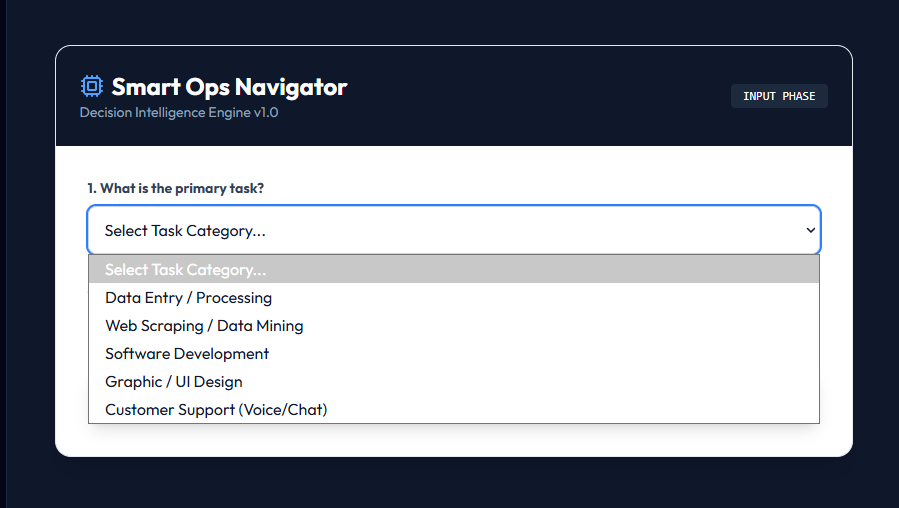
Tip: If you don't see your exact task, choose the closest category. The engine adapts based on complexity.
Step 2: Calibrate Volume & Sensitivity
This is where the magic happens. The engine uses two key metrics to filter platforms:
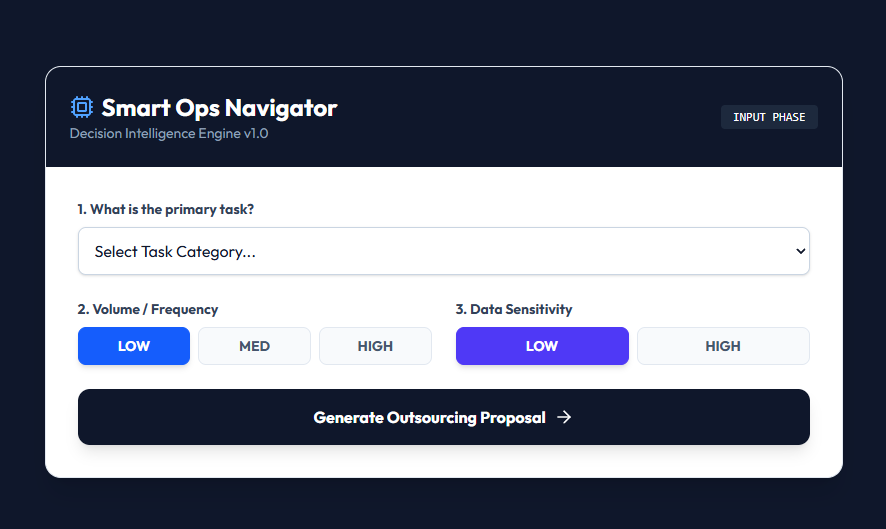
Volume / Frequency
High-volume tasks trigger a "Managed Agency" recommendation to ensure scalability and QA consistency.
Data Sensitivity
If you select "High Sensitivity," we prioritize platforms with robust IP protection and Enterprise-grade security.
Step 3: Review Your Custom Proposal
Click "Generate Outsourcing Proposal" to see your result. You will get a recommended model (e.g., Gig Marketplace vs. BPO Agency) and a Total Cost of Ownership (TCO) breakdown.
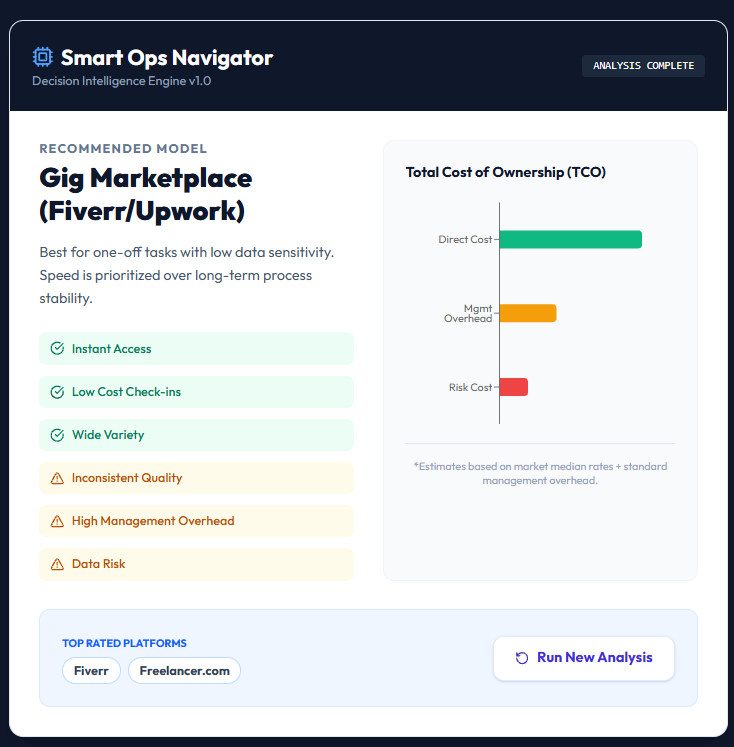
- Direct Cost: The estimated fee paid to the freelancer.
- Mgmt Overhead: The hidden cost of your time managing the talent.
- Risk Cost: Potential cost of errors or data leaks.
Step 4: Iterate and Refine
Want to try a different scenario? Use the "Run New Analysis" button to reset the simulator and test new parameters instantly.
Ready to optimize?
Launch the simulator now and find your perfect outsourcing fit.
Launch Smart Ops Navigator